Stop Mindless Scrolling on iPhone with minimalist phone

A minimalist iPhone setup designed to reduce screen time, stop mindless scrolling, and help you focus on what matters.

minimalist phone - #1 screen time control app on iPhone

Features to Support Your Focus Journey

A Simple Yet Powerful Home Screen

Replace your cluttered home screen with a calm, distraction-free app list. No icons, no visual noise.

Simple phone setup and home screen
A Simple Yet Powerful Home Screen

Replace your cluttered home screen with a calm, distraction-free app list. No icons, no visual noise.

Simple phone setup and home screen
A Simple Yet Powerful Home Screen

Replace your cluttered home screen with a calm, distraction-free app list. No icons, no visual noise.

Simple phone setup and home screen
App Blocking

Block time-wasting apps to limit app usage. Stay focused and achieve your goals.

App Blocking
App Blocking

Block time-wasting apps to limit app usage. Stay focused and achieve your goals.

App Blocking
App Blocking

Block time-wasting apps to limit app usage. Stay focused and achieve your goals.

App Blocking
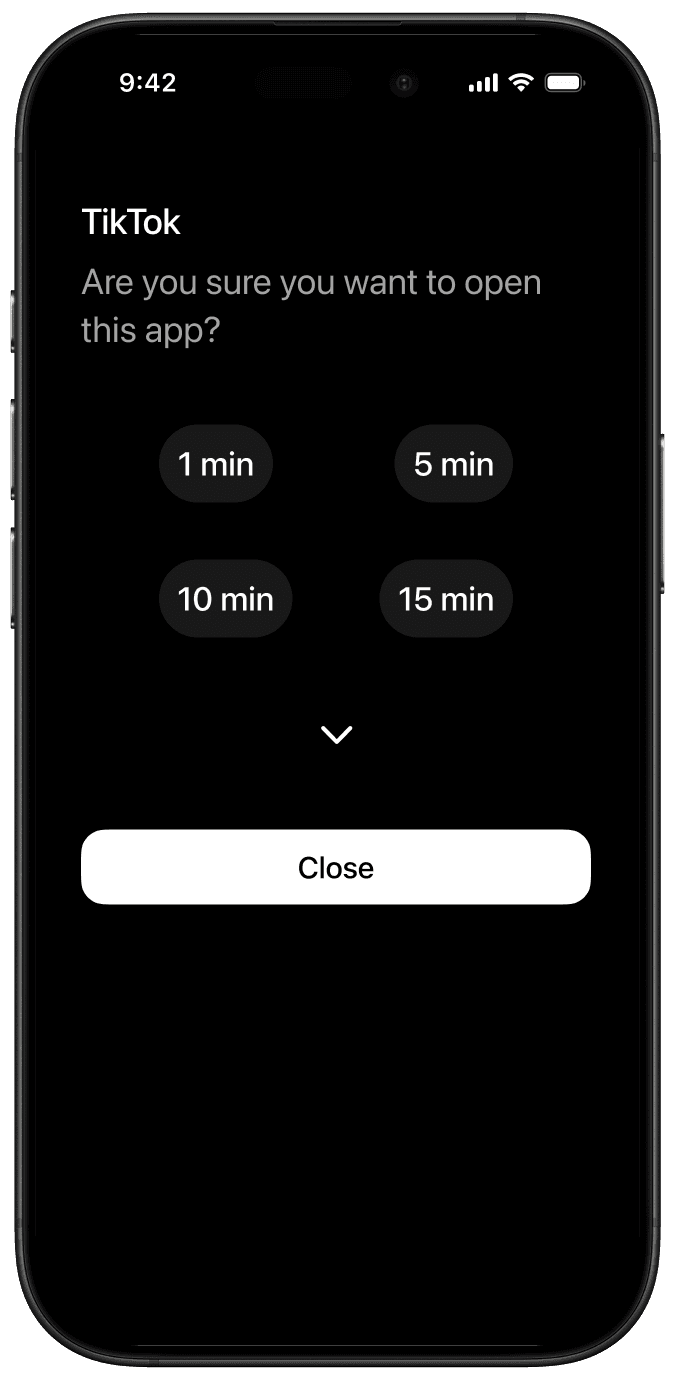
Mindful Launch Delay

Reaching for your phone every 2 minutes? Use these 15 seconds to return to intentional decisions.

A delay before an app opens to help with mindfulness
Mindful Launch Delay

Reaching for your phone every 2 minutes? Use these 15 seconds to return to intentional decisions.

A delay before an app opens to help with mindfulness
Mindful Launch Delay

Reaching for your phone every 2 minutes? Use these 15 seconds to return to intentional decisions.

A delay before an app opens to help with mindfulness
In-App Reminder

Tackle doomscrolling with gentle reminders and stay mindful. Set session limits and exit the app once time is over.

Session limits for social media and games
In-App Reminder

Tackle doomscrolling with gentle reminders and stay mindful. Set session limits and exit the app once time is over.

Session limits for social media and games
In-App Reminder

Tackle doomscrolling with gentle reminders and stay mindful. Set session limits and exit the app once time is over.

Session limits for social media and games
Blocking Schedules

Block distracting apps during key parts of the day and lock in. Your screen time routine.
One tap away.

Blocking schedules and routine planning
Blocking Schedules

Block distracting apps during key parts of the day and lock in. Your screen time routine.
One tap away.

Blocking schedules and routine planning
Blocking Schedules

Block distracting apps during key parts of the day and lock in. Your screen time routine.
One tap away.

Blocking schedules and routine planning
Light Phone Theme

Try Out The New Light Theme

Light Phone Theme

Try Out The New Light Theme

Light Phone Theme

Try Out The New Light Theme

What our minimalists say

I expected less screen time, but minimalist phone helped me save even more time than I thought.

iOS user

The app blocker actually blocks me, and that made it worth it for me.

iOS user

Love it. Once you block an app, it stays blocked. Time really opens up when you are not distracted.

iOS user

My daily screen time dropped from around 7 hours to about 2–2.5 hours. Simple and effective.

iOS user

minimalist phone is one of the cleanest apps I’ve used. It is intuitive, simple, and easy to understand. It got rid of all the noise.

iOS user

I open it instead of doom-scrolling now. It gives me a clean first step and I actually get moving.

iOS user

In one week, my screen time dropped by 15 hours. My phone use feels more intentional now.

iOS user

FAQs? We’ve got answers.

How is minimalist phone different from iOS Screen Time?

Can minimalist phone block apps and websites?

What is it like to use minimalist phone on iPhone?

Is it safe for my phone?

From the Blog